



Desk with cable management: how the cables really disappear
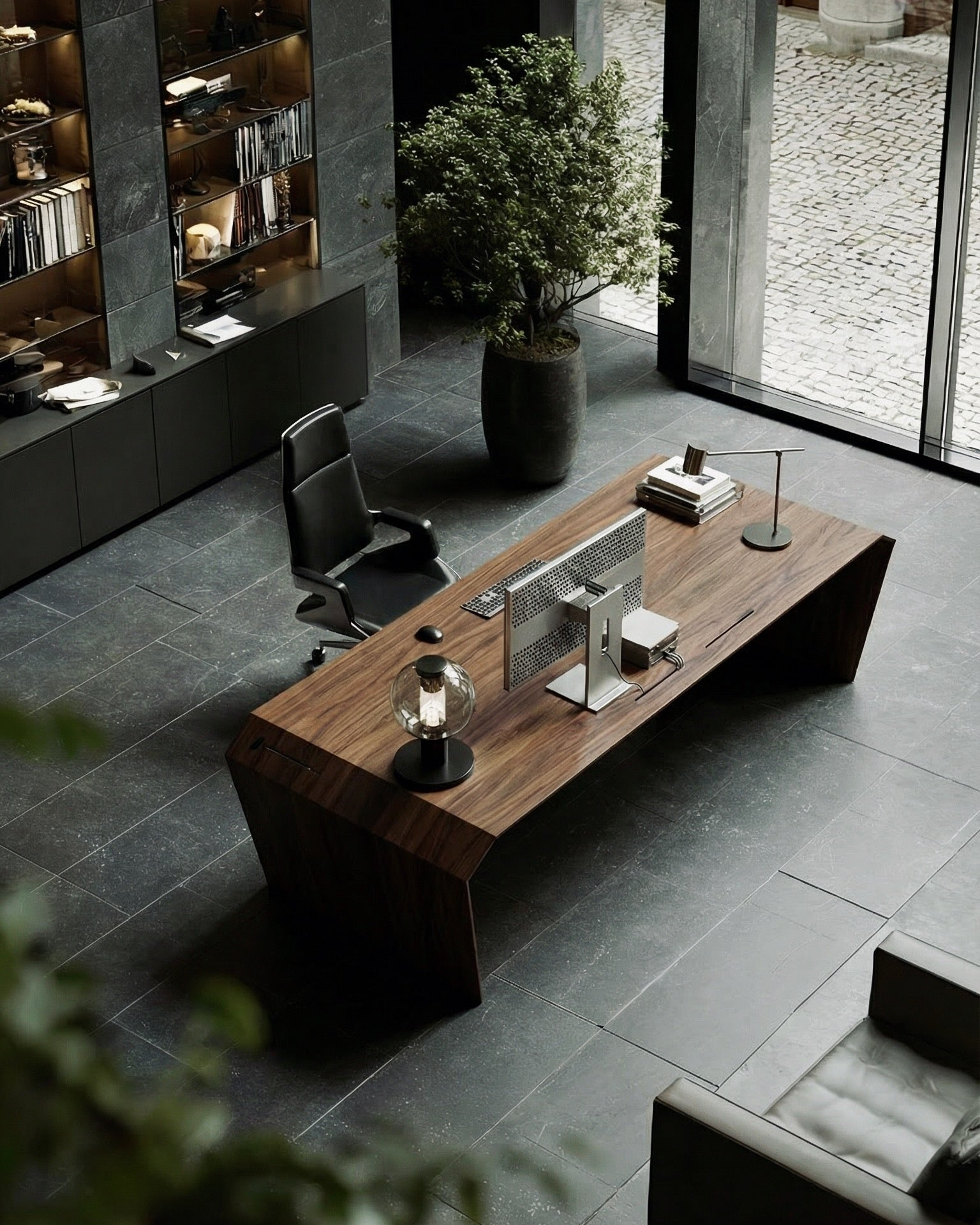
You want a desk with nothing on it but your work. Nearly all our customers wanted exactly that, so the cable compartment comes as standard: built into every desk. Flap shut, cables gone.
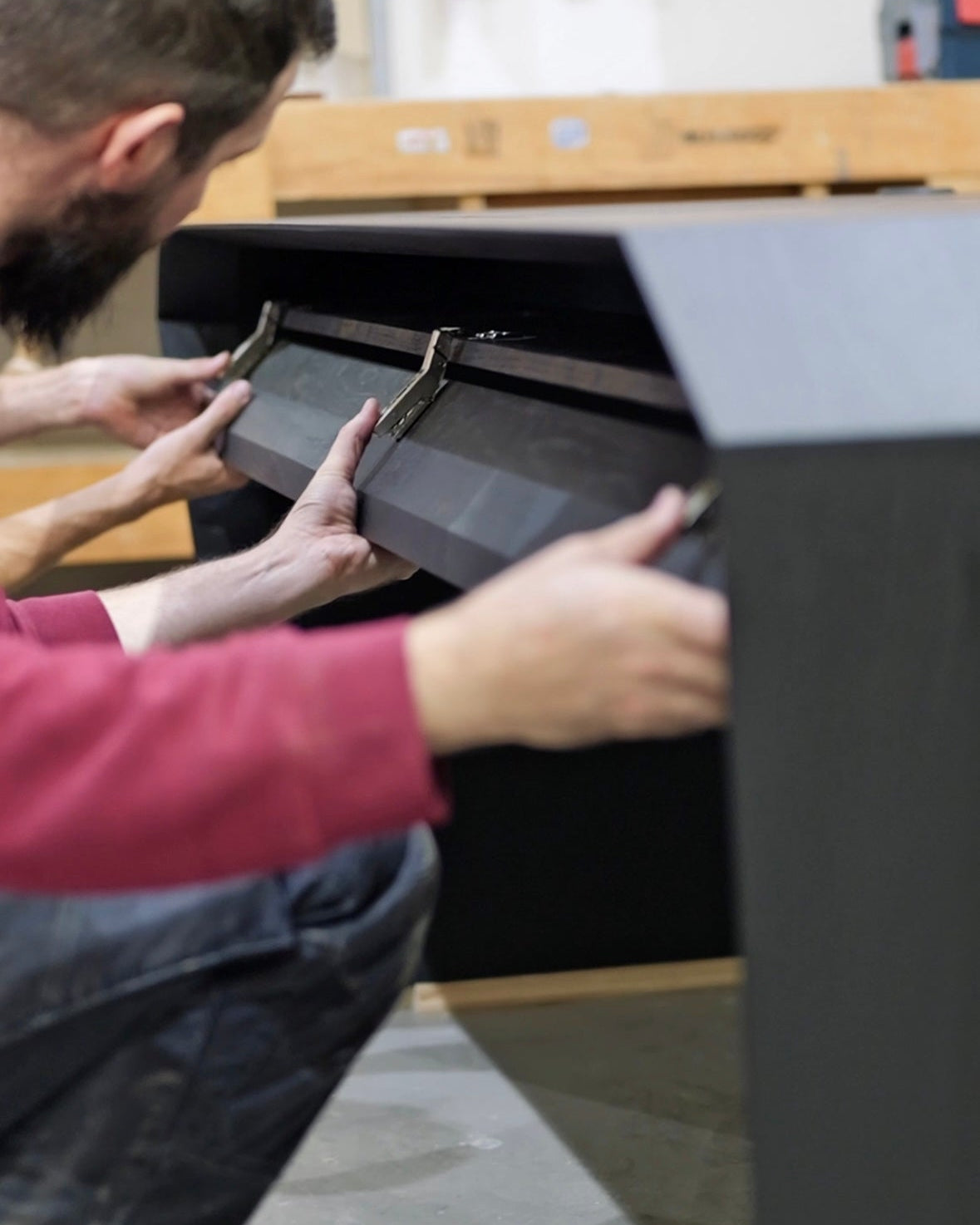
Philipp shows the cable compartment: power adapters, power strip and cables sit under the top.
- Cable compartment (CableHIDE) under the top, as standard on the DeskPURE, DeskPRO and ArcPURE
- Built in, can’t be added later, no extra cost
- 6-way power strip plus 2 x USB-A and 2 x USB-C
- Only one cable leaves the desk: 5 m of fabric cable to the wall
- Two cable cut-outs as standard, a cable channel in the leg as an option
- Arrives fully assembled. Plug in, done.
An executive desk with cable management: why the compartment comes as standard
In the office, someone sits across from you: a client, a job applicant, a partner who is about to sign. They see the front of your desk, and often what’s going on underneath it too. And every set-up grows: monitor, laptop, dock, lamp, phone. Every device brings a power adapter, every adapter a cable.
That’s why nearly every customer wanted the cable compartment. It is built into the desk and can’t be added later. So since June 2026 it has come as standard on every DeskPURE, DeskPRO and ArcPURE, at no extra cost.
“The second thing really is the cable channels. It just looks clean. I hate it when you’ve got a desk with no cable channels and the cables trail along in front of it. Here they simply disappear.”
Faris Wonigeit, business owner from Berlin, DeskPRO in oak
Hiding cables at your desk: three ways, and how far each one gets you
Cable trunking and trays you fit afterwards
Screw or stick a tray under the top, drop the power strip in, done. It does tidy things up. But it’s still a part that was added to the desk afterwards, and you often see it as soon as you sit down or look from the side.
Cable sleeves and hook-and-loop ties
Bundling helps with the tangle. The sleeve itself stays in view, running from the desk to the wall, and the power adapters are still lying somewhere on the floor.
The cable compartment that belongs to the desk
The third way is a desk with a cable compartment. The compartment is part of the desk, made in the same wood and built in before the desk leaves the workshop. You don’t see a retrofit, because nothing was retrofitted.

How the cable compartment (CableHIDE) works
Under the top sits a compartment with a wooden flap, made in the wood of your desk. The flap sits flush, opens downwards and closes softly on quiet stainless-steel hinges.
Flap open: power strip, adapters, spare cable
Inside the compartment is a 6-way power strip with an extra 2 x USB-A and 2 x USB-C. Next to it there’s room for the power adapters of your monitor, laptop and dock, and for the spare length of cable. The monitor arm, docking station, SmartCHARGE and SoftGLOW are powered from inside as well.
Flap shut: one cable to the wall
Exactly one cable leaves the desk: the 5 m fabric cable that comes with it, running from the compartment to the wall socket. No power adapter, no power strip, no tangle.
“You don’t see any cables here. Everything is hidden in the desk, and that’s exactly what I like, because you don’t have that tangle of cables everywhere.”
Andrea Eisenhauer, property entrepreneur. See her office
Built in, can’t be added later
The compartment is made together with the desk in our workshop in Germany. It is built in, and it can’t be added afterwards. That’s exactly why every desk already has it: you don’t need to think about it when you buy, and nobody screws anything under your top later on.
Your desk arrives assembled, cable management included. All you do is plug the cable into the socket.
“What matters to me is that I only have to run one cable to the laptop and one cable to the socket, and that’s it.”
Ivo Raab, managing director of an events agency
From the workshop: the compartment under the top


Photos from our workshop in Germany, and a customer’s DeskPURE. Swipe for more.
Where the cables come up onto the desk: the cable cut-outs
A cable compartment is of little use if the cables then trail across the edge. So every desk has two cable cut-outs, as standard and at no extra cost.
Top cable slot: monitor, dock, and a monitor arm with no drilling
On the DeskPURE and DeskPRO it sits in the centre as standard. Monitor and power cables run straight into the compartment from here. The wooden insert lifts out so that large plugs fit through too, then it closes flush again. The monitor arm goes here as well: drop the mount in, slide it into the slot, bolt it down from above. No drilling, no clamp on the edge.
Side cable cut-out: laptop, phone, charging cables
On the DeskPURE and DeskPRO it is on the right as standard, on the ArcPURE on the left. A tip from our consultations: put it on the side where you work and where your laptop and chargers sit.


The last visible centimetres: the cable channel in the leg
That leaves one cable: the one running from the compartment to the wall. With the cable channel in the leg (CableSLOT), that disappears too. We machine a narrow channel, 8 x 8 mm, straight into the leg. The fabric cable runs down inside it. Nothing hangs under the desk any more.
- Side: left, right or both sides, as seen from your seat
- At the foot: the cable exits outwards, or inwards to a floor socket on request
- LAN cable: we machine the channel deeper, at no extra cost
- Price: 200 € for one side, 300 € for both
The channel is made during production, so it’s best to choose it together with the desk.
“The details, the cable routing of course, the hidden kind, so that you no longer see the cables.”
Dieter Knopfhart, IT sector, Switzerland
A desk with a socket and USB-C: charging with no cables on the top
Three add-ons bring the power to where you need it. The power adapter stays under the top.
- PowerLINK: a USB-C charging port in aluminium, in the centre of the top cable slot, up to 140 W. It takes the place of the wooden insert there and is always to hand.
- SmartCHARGE: an original Apple MagSafe charger, set flush into the top, up to 25 W. Its power adapter sits in the cable compartment.
- PowerPORT: a socket under the top at the side cut-out, within easy reach without opening the compartment. On the DeskPRO it sits behind the drawer front.
In a real office: cables gone
With a customer in Solingen: a desk in oak with cable management.
Which desk with a cable compartment is right for you?
The cable compartment is the same on all three desks. The difference is in shape and storage.
Frequently asked questions about desks with a cable compartment
Does every EDELHOLZ desk come with the cable compartment?
Can I add the cable compartment later?
What’s inside the cable compartment?
How do I hide the last cable to the socket?
Do I have to drill for the monitor arm?
Do I have to assemble the desk myself?
In short: flap shut, cables gone
Cable management at a desk works when you no longer have to think about it. A compartment that belongs to the desk. Two cut-outs exactly where the cables are needed. One cable to the wall, out of sight in the leg if you like. The flap does the rest.
Configure your desk
You choose size, wood, cut-outs and cable channel in the configurator. Prefer to talk it through? Philipp will advise you.
Book a consultation with Philipp
Worth a read: A corner desk: which size fits your room? With a room planner to try out.

Philipp Strobel is a qualified automotive engineer. He brings an engineer’s way of thinking to running a business, and develops desks in which function and design come out of one system. He has been developing products in wood since 2017, and since 2024, with EDELHOLZ, desks for business owners.


